
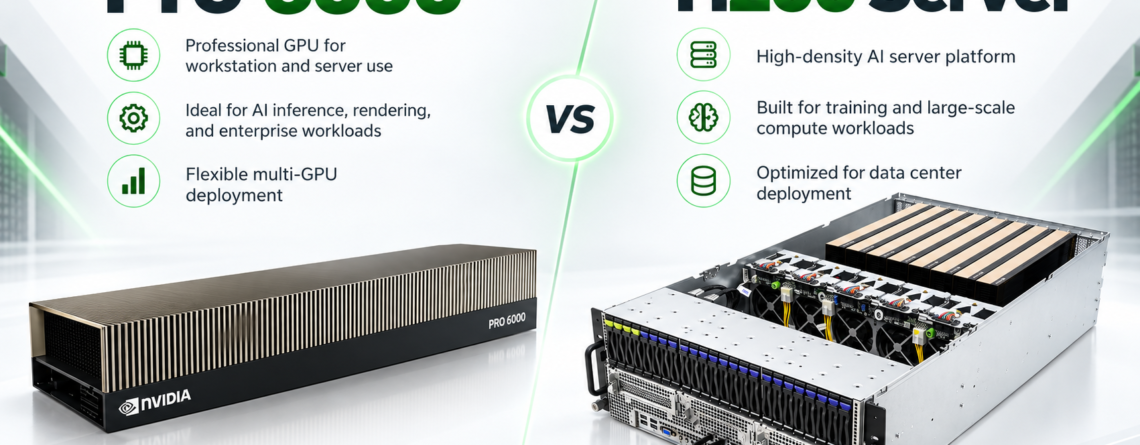
Short answer: Choose NVIDIA H200 when your priority is HBM3e bandwidth, mature Hopper-scale training and large-model workloads. Choose RTX PRO 6000 Blackwell Server Edition when you need 96 GB of ECC GDDR7, strong AI inference plus professional graphics, video, rendering or virtual-workstation flexibility in a PCIe server. The best choice follows workload fit, not model-name ranking.
Two Different Kinds of Data Center GPU
H200 is a Hopper Tensor Core GPU optimized for AI and HPC. RTX PRO 6000 Blackwell Server Edition is a universal data center GPU designed to combine AI compute with rendering, simulation, video and professional visualization. They overlap, but they are not direct substitutes in every deployment.
H200 is strongest when memory bandwidth and tightly coupled multi-GPU operation dominate. RTX PRO 6000 is attractive when a business wants one server platform to run inference, fine-tuning, rendering, virtual workstations and media pipelines.
Specification Comparison
| Feature | RTX PRO 6000 Server Edition | NVIDIA H200 |
|---|---|---|
| Architecture | Blackwell | Hopper |
| GPU memory | 96 GB GDDR7 with ECC | 141 GB HBM3e |
| Memory bandwidth | About 1.6 TB/s | 4.8 TB/s |
| Maximum GPU power | Up to 600 W, configurable | Up to 700 W SXM or 600 W NVL, configurable |
| Form factor | Dual-slot PCIe air-cooled; liquid option available | SXM or dual-slot PCIe NVL |
| MIG | Up to four isolated instances | Up to seven instances, profile-dependent |
| Graphics and display | Professional RTX, RT cores, display outputs | Compute-focused |
| Typical strength | Mixed AI, graphics, rendering and VDI | Large AI models and HPC |
See NVIDIA’s official pages for RTX PRO 6000 Server Edition and H200. Server-level specifications vary by manufacturer.
Memory Capacity vs Memory Bandwidth
H200 has 141 GB of HBM3e, 45 GB more than RTX PRO 6000. Its 4.8 TB/s bandwidth is roughly three times the RTX PRO 6000 specification. That can be decisive for memory-bound training, large-model inference and scientific computing.
RTX PRO 6000’s 96 GB is still a substantial capacity for a PCIe professional GPU. It can fit models and datasets that exceed 32 GB consumer GPUs, and ECC adds protection for long-running professional workloads. Its strength is breadth: AI, ray tracing, CAD, simulation, video and virtual workstations can share one architecture.
AI Training
For large distributed training, H200 SXM systems with NVLink and NVSwitch generally provide the more purpose-built topology. The memory system and scale-up fabric are designed for communication-heavy jobs. RTX PRO 6000 servers can train and fine-tune models, but buyers should examine PCIe topology and networking rather than assume that eight PCIe GPUs behave like an HGX baseboard.
AI Inference
The inference decision is more nuanced. H200 supports large models and high-throughput serving where HBM capacity and bandwidth matter. RTX PRO 6000 adds Blackwell-generation Tensor Cores and FP4 capability, which can be valuable for optimized inference. Actual performance depends on model architecture, precision, batch size, context length and software support.
Benchmark your real service-level objective: tokens per second, time to first token, concurrent sessions, context length and acceptable quality. Peak FLOPS alone cannot answer the procurement question.
Rendering, Video and Virtual Workstations
RTX PRO 6000 is the clear fit when graphics are part of the workload. It includes fourth-generation RT Cores, four display outputs, ninth-generation NVENC and support for professional visualization. NVIDIA also documents Universal MIG and vGPU capabilities for mixed compute and graphics instances. Studios, design teams, digital-twin developers and GPU cloud providers can consolidate more services on the same hardware.
H200 is not purchased primarily for display-driven workflows. Its value is accelerated compute, not workstation graphics.
Server and Facility Considerations
- Power: compare complete server input, not only GPU TDP.
- Cooling: validate airflow, rack density and liquid-cooling requirements where applicable.
- Interconnect: understand NVLink, PCIe and network topology.
- Virtualization: verify vGPU licenses, hypervisor support and MIG profiles.
- Storage: size NVMe and shared storage around the data pipeline.
- Operations: include remote management, monitoring and replacement procedures.
Who Should Choose RTX PRO 6000?
- AI inference teams that also need rendering, video or visualization.
- GPU cloud and MSP operators offering mixed workloads.
- Engineering and media organizations consolidating AI and graphics.
- Teams that want 96 GB ECC memory in flexible PCIe servers.
- Virtual-workstation deployments requiring professional RTX features.
Who Should Choose H200?
- Large-model training and inference where HBM capacity and bandwidth dominate.
- HPC applications using Hopper-optimized software.
- Organizations building tightly coupled four- or eight-GPU systems.
- Teams with established H100/H200 operational experience.
Total Cost Questions
Compare hardware, system memory, storage, networking, rack space, power, cooling, software licenses and support. A lower purchase price can be offset by lower utilization or a mismatched workload. A higher-cost accelerator may be economical if it reduces server count or completes work faster. Use measured application performance whenever possible.
Frequently Asked Questions
Is RTX PRO 6000 better than H200 for AI?
Not universally. RTX PRO 6000 is strong for mixed AI and graphics and offers Blackwell inference features. H200 provides more memory and much higher memory bandwidth for demanding AI and HPC.
Which GPU is better for rendering?
RTX PRO 6000 Server Edition is designed for professional rendering and visualization, with RT Cores, display support and media engines.
Which GPU is easier to deploy in a PCIe server?
RTX PRO 6000 and H200 NVL are PCIe options, but chassis validation, power, airflow and supported GPU count must still be checked.
Can Desert Eagle AI host either server?
Deployment depends on the exact server, power, cooling and network requirements. Send the configuration for a U.S.-based hosting review.

Leave a Reply